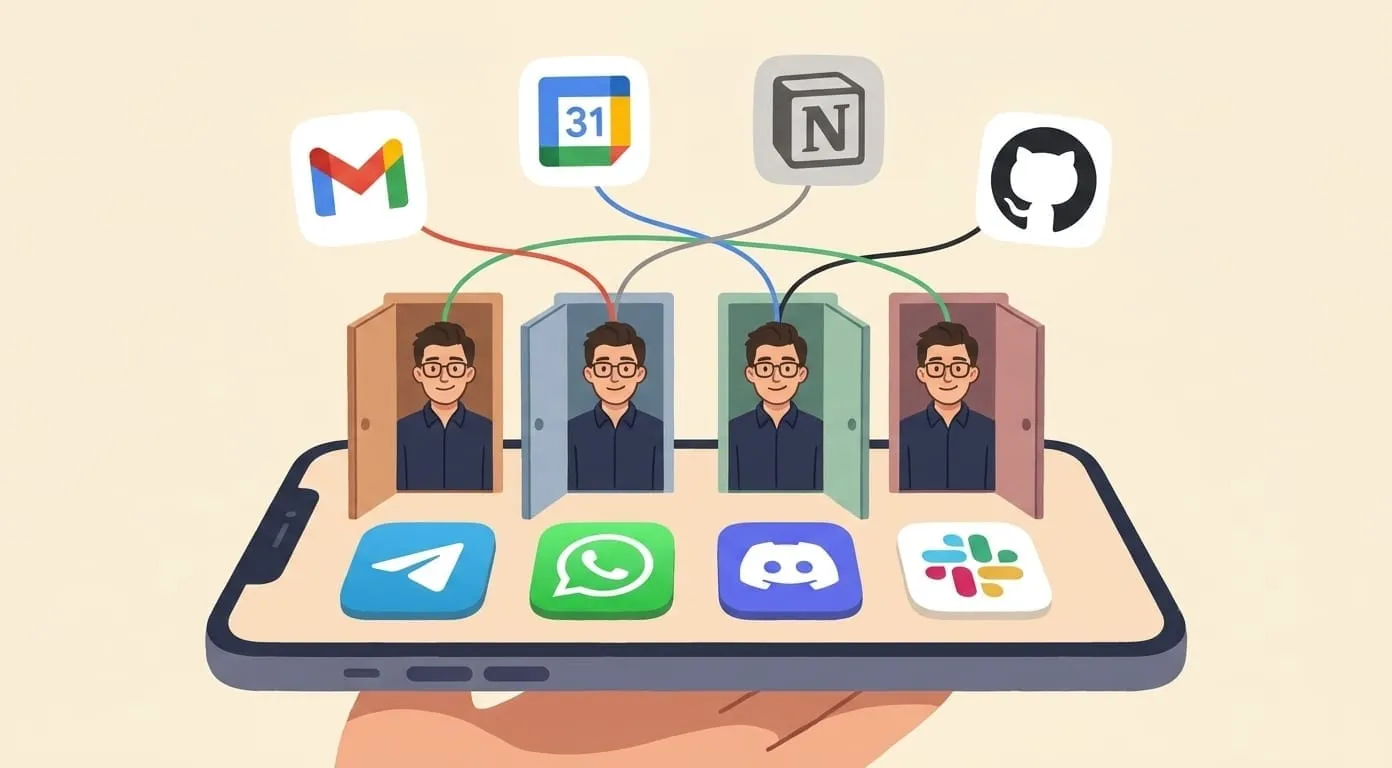
AI Assistant That Actually Takes Actions (Not Just Suggestions)
The difference between a tool that drafts emails and one that sends them is the difference between assistance and automation
Most AI tools give you output to act on. They draft the email, summarize the meeting, or suggest the reply. Then you copy it, paste it, edit it, and actually do the thing yourself. That's useful. It's also a two-step process that still lands on your plate.
An action-taking AI assistant skips the middle step. You say "follow up with Marcus on the proposal" and the email goes out. You say "block two hours for deep work tomorrow morning" and the calendar slot is reserved. The assistant doesn't hand you a draft. It handles the task.
That distinction sounds small. In practice, it changes what AI is actually good for. This article uses Amplify, an action-taking AI assistant built on the OpenClaw runtime, as the concrete example throughout. If you want the short answer up front: yes, this pattern works, and no, it doesn't require you to trust it blindly.
Amplify is one of the AI assistants that actually takes actions. It books meetings, sends follow-ups, and updates your CRM from a chat interface. The rest of this article breaks down what “taking actions” means, how the tech works, and where the honest limits are.
What "action-taking" means in practice
The phrase gets used loosely, so it's worth being concrete. An action-taking assistant needs three things: it has to understand what you want, connect to the systems where the work lives, and actually execute in those systems.
Understanding is the part ChatGPT handles well. Connection and execution are where most tools stop short. If your assistant can write a perfect follow-up email but can't send it through your Gmail account, you're still the one clicking Send.
Execution also implies memory. If you tell an assistant to follow up on the Marcus proposal and it has no record of who Marcus is, what the proposal contained, or what you said to him last week, the output will be generic and probably useless. Real action-taking requires context that persists across sessions.
Finally, execution requires authorization. An assistant that can theoretically send emails on your behalf but needs you to copy the draft into Gmail every time has not actually taken the action. The integration has to be live.
Amplify is built around all three.
The chatbot / copilot / agent spectrum
These three categories describe meaningfully different tools, and the differences are worth understanding before picking one.
A chatbot responds to questions. It generates text. It has no memory of your previous conversations (or only a short-term window) and no connections to external systems. ChatGPT in its basic form is a chatbot. Very good at what it does, but everything stops at the output window.
A copilot is embedded in a specific tool and assists while you work. GitHub Copilot suggests code inside your editor. Microsoft 365 Copilot drafts documents and summarizes emails inside the Office suite. These are genuinely useful because they have context from the system they're embedded in. But they're still assistants in the original sense: they help you do the work rather than doing it for you.
An action-taking agent has persistent memory, multiple integrations, and the ability to carry tasks through to completion. You can leave a task running and come back to a finished result. The agent can chain steps: research a company, draft an outreach email, check your calendar for a good time to send, and schedule delivery. Each step builds on the last.
Most people use chatbots and call them AI assistants. The distinction matters because the time savings are completely different. Saving 30 seconds per email draft is nice. Having your assistant handle the entire follow-up cycle while you're in a meeting is something else.
Amplify sits at the agent end of the spectrum. It doesn't just draft. It acts.
Six things an action-taking assistant can actually do
Email follow-ups. You close a sales call and tell your assistant to send a recap email in two hours with the three points you discussed. It does it. If the prospect replies asking for a proposal, your assistant can flag the thread, draft a response based on your past proposals, and either send it or queue it for your approval depending on your settings.
Calendar scheduling. "Find a two-hour slot next week for a strategy session with the founding team, avoid mornings, and send calendar invites to everyone." The assistant checks all the relevant calendars, finds the window, creates the event, and sends the invites. No back-and-forth coordination email required.
Package and order tracking. Small, but surprisingly time-consuming when you have multiple shipments coming in. Your assistant monitors tracking numbers, surfaces updates when there's a delay, and can proactively reach out to carriers if something's stuck. You never have to open a tracking page.
Research briefs. Before a call, your assistant can pull together a summary: recent news about the company, what LinkedIn shows about the people you're meeting, what you discussed in your last interaction, any relevant financial or market context. It takes fifteen minutes to do manually. Your assistant does it while you're still in the previous meeting.
Outreach. Sending connection requests, follow-ups in a sequence, or responses to inbound inquiries. The assistant can personalize these based on what it knows about the recipient, send at optimal times, and track responses. Not mass-blast marketing. Specific, targeted outreach that still sounds like you wrote it.
Reminders with context. Not just "remind me to call Sarah." The assistant surfaces the reminder with everything you need: what you were discussing with Sarah, what she said last time, what you promised to send her. You pick up the context in seconds rather than digging through your inbox.
None of these are hypothetical. They're tasks that eat hours across a typical week, and they're all things an action-taking assistant can handle with the right integrations.
Amplify handles all six from a single chat, whether you're in Telegram, Slack, WhatsApp, Discord, or WeChat.
Why ChatGPT alone doesn't handle daily workflows
This isn't a knock on ChatGPT. It's excellent at what it does. But "what it does" has real limits when applied to actual workflows.
No persistent integrations. ChatGPT doesn't connect to your Gmail, your Google Calendar, your CRM, or your project management tools in a live, bidirectional way. You can paste in content and get outputs, but the assistant can't act in those systems. Every task still requires you to copy, paste, and execute.
No persistent memory across sessions. Unless you explicitly use Projects or memory features, ChatGPT starts each conversation fresh. Your assistant doesn't know that you've been negotiating a contract with Acme Corp for three months, that the contact there is someone named Jordan, or that you already sent two follow-ups. Context you bring yourself, every time.
No approval flow for sensitive actions. Even if you could wire ChatGPT into your email, it has no mechanism for asking you to review before sending, logging what was sent and when, or limiting what kinds of actions it can take. Approval workflows and audit trails are built-in requirements for any tool that touches your real systems. They have to be there by design, not bolted on.
Amplify is the piece that turns 'ChatGPT that plans your day' into 'ChatGPT that actually does your day.'
Where human approval still matters
Giving an AI assistant access to your accounts and systems is useful and also legitimately risky if there's no gate between "the assistant thinks it should do this" and "the thing actually happens."
Some categories of action should always require explicit human approval before execution. Sending emails that represent your professional position. Anything involving money: payments, invoices, transfers. Deleting files, contacts, or records. Posting publicly on your behalf. Replying to legal or compliance-related messages.
The risk with a fully autonomous assistant is that it acts on a misunderstanding with permanent consequences. You said "clean up the old proposals folder" and it deleted twelve files you actually needed. You said "follow up with the investor" and it sent a message that contradicted what you'd told them last week.
Human approval on high-stakes actions isn't a limitation. It's the correct design for a tool that operates in your real accounts.
Amplify enforces an approval gate on the one action that spends money. That is media generation. The user is warned that a wallet charge is about to happen and confirms before it runs. For sensitive actions like sending email or scheduling, the skill is instructed to confirm the account and action before it fires.
How Amplify handles this
Amplify is built around the idea that the assistant does the work but the user stays in control of what matters.
When Amplify takes an action in a connected account, like sending an email or booking a calendar slot, it can be configured to prompt for approval before executing. You get a preview of exactly what it will do and can approve, edit, or cancel. For lower-stakes tasks, like updating a note or setting a reminder, it acts immediately and logs the action.
Every action Amplify takes is recorded in an audit trail you can review. What was sent, when, to whom, and based on what instruction. If something goes wrong or produces a result you didn't expect, you can trace exactly what happened.
Amplify also runs assistant tasks in a sandboxed environment. This means that even when connected to your accounts, the assistant operates within defined permissions. It can send from your email address but can't access account settings, billing, or administrative functions unless you've specifically granted that access.
The combination of approval prompts, an audit log, and sandboxed execution is what makes it practical to let an assistant actually take actions rather than just suggest them. Without those guardrails, most people won't (correctly) hand off tasks that touch real systems. With them, the tradeoff becomes reasonable: you get the time savings, and you don't lose visibility into what's happening in your accounts.
The difference between a tool that drafts emails and one that sends them is the difference between assistance and automation. Automation with a human in the loop at the right points is what actually changes how a workday runs.