Best AI Assistant for Scheduling Meetings and Follow-Ups (4 Options Compared)
Calendar apps schedule the meeting. Nothing follows up afterward – until you add AI. Four approaches compared, with real costs and honest limits
Scheduling a meeting is easy. Every calendar app on the market can do it. The hard part is everything that comes after: the follow-up email three days later, the reminder to check in next week, the briefing before the next call with context from the last one.
Most people handle this with sticky notes, starred emails, or pure memory. It works until it doesn’t – and it stops working around the time your calendar crosses 15 meetings a week.
AI assistants promise to fix this. Some of them actually do. This article compares four categories of tools for scheduling meetings and managing follow-ups, with real prices, real capabilities, and honest trade-offs. Amplify is one of the options we cover – we build it, so we know what it can and can’t do. We’ll be upfront about both. We also compare Amplify head-to-head with the specific tools people usually name in this space: Reclaim.ai, Motion, Clara, and Fireflies.
What “scheduling and follow-ups” actually requires from an AI
Any chatbot can draft a meeting invite if you ask it to. That’s table stakes.
The hard part is the layer beneath: knowing what’s already on your calendar before suggesting a time. Sending a follow-up email three days after a meeting without you having to remember. Rescheduling when a conflict appears and alerting you with alternatives. Briefing you before tomorrow’s 9 AM call with context from the last three conversations with that person.
These aren’t separate features – they’re a connected workflow. Calendar awareness feeds scheduling, scheduling feeds follow-ups, follow-ups feed the next meeting’s context. Break any link in that chain and you’re back to doing it manually.
Here’s the simplest test we use: can your assistant send a follow-up email next Tuesday at 10 AM without you being at your phone? If the answer is no, you have a drafting tool, not a scheduling assistant. That distinction matters for everything that follows.
Four approaches compared
A. Google Calendar + Gemini
Google has been adding Gemini capabilities to Workspace throughout 2025 and 2026. Here’s where it stands for scheduling and follow-ups.
What it does well. Gemini in Google Calendar can suggest meeting times by analyzing attendees’ availability, time zones, and working hours (source: Google Workspace Updates blog, Jan 2026). You can type natural language descriptions like “lunch with Nick” and it generates a full calendar event with date and time suggestions. When attendees decline, it can suggest alternative slots that minimize conflicts. It works within the Google ecosystem you already use, so there’s zero setup.
What it doesn’t do. Gemini doesn’t send follow-up emails on its own. It doesn’t remember that you promised to check in with a client next Thursday. It doesn’t brief you before a meeting with context from your last conversation. Every interaction is initiated by you, inside the Calendar or Gmail interface. There’s no persistent memory across sessions – it doesn’t know what you discussed last week unless you tell it again.
Cost. Free with Google Workspace. Gemini features are rolling out across Workspace plans, with more advanced capabilities in Business and Enterprise tiers.
Best for: people who already live in Google Workspace and want smarter scheduling suggestions – but don’t need autonomous follow-ups.
B. ChatGPT with calendar and email connectors
ChatGPT Plus can connect to Google Calendar and email through GPTs and built-in connectors. (The earlier “plugins” system was retired – current integrations use GPTs and native connectors.)
What it does well. ChatGPT is excellent at drafting. Give it context about a meeting and it writes a follow-up email that sounds like you wrote it. It can read your calendar in some configurations, understand scheduling constraints, and help you think through complex scheduling decisions. The conversational interface makes it natural to work with.
What it doesn’t do. ChatGPT can’t deliver that follow-up email next Tuesday at 10 AM. You have to be in the chat, at that moment, to ask it to act. Memory has improved – it can retain context within a conversation and recall some details across sessions – but it remains primarily session-oriented. It’s a powerful co-pilot for scheduling work, but you’re still the pilot.
Cost. $20/month (Plus plan).
Best for: people who want help drafting scheduling-related content on demand. Not for autonomous follow-ups.
C. Workflow automation (Zapier, Make)
Zapier and Make connect apps together with triggers and actions: “when a Google Calendar event ends, create a follow-up task in Asana” or “when I get an email from this client, add a meeting to my calendar.”
What they do well. These platforms are reliable for structured, repeatable patterns. If your follow-up workflow is the same every time – same email template, same delay, same trigger – automation handles it without thinking. Zapier’s free tier lets you test basic workflows, and the Pro plan ($19.99/month) handles more complex multi-step automations.
What they don’t do. There’s no conversation. You can’t message Zapier and say “remind me to check in with Sarah next week about the proposal.” Every workflow is defined upfront through a visual builder. There’s no memory, no context awareness, no ability to adjust on the fly. When the pattern changes – and scheduling patterns always change – you’re back in the builder creating a new rule.
Cost. Free tier available (limited tasks). Pro from $19.99/month.
Best for: teams with predictable, rule-based scheduling workflows who want reliable “if this, then that” automation.
D. AI agent (Amplify / self-hosted OpenClaw)
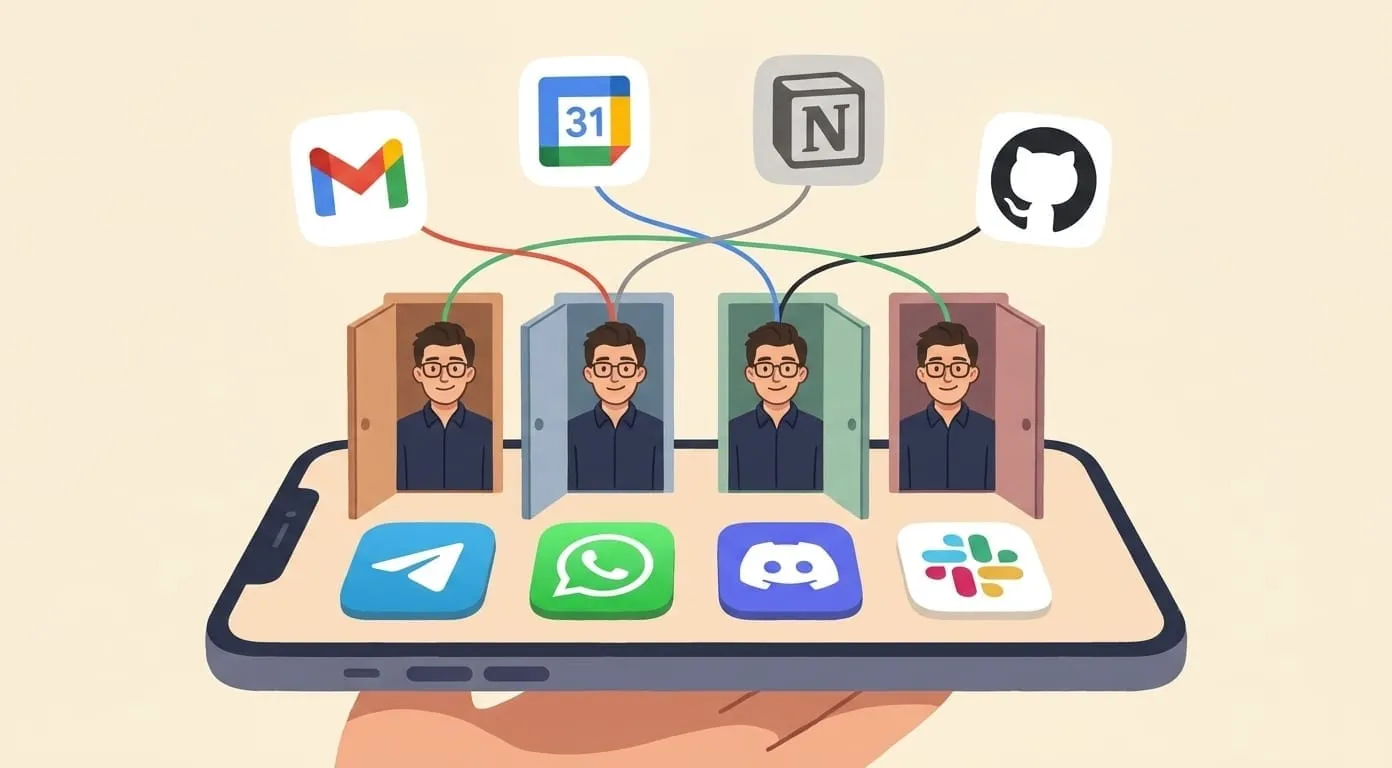
An AI agent takes a different approach. Instead of a standalone app or an automation rule, it lives inside your existing messaging app – Telegram, WhatsApp, Discord, or Slack – and connects to your calendar, email, and other tools in the background.
What it does. You message your agent: “schedule a 30-minute call with the design team this week, afternoon preferred.” It checks your Google Calendar, finds open slots, proposes options, and books the meeting when you confirm. Three days later, it sends a follow-up draft for your review – you approve it from the same chat, and the email goes out.
It remembers your contacts, your scheduling preferences, and your ongoing conversations. If a client reschedules via email, the agent catches it, updates your calendar, and alerts you with a suggested new time. A morning briefing tells you what’s on your schedule and which follow-ups are due, with drafts ready to review.
The key difference: it works when you’re offline. Scheduled tasks execute on their own – the follow-up goes out Tuesday at 10 AM whether you’re at your phone or not. By default, the agent shows you the draft before sending, but you can also configure it to send follow-ups autonomously on a schedule. How much human-in-the-loop you want is up to you.
Cost. Amplify: $9.99/month platform fee + AI usage (roughly $15–25/month total for typical use). Self-hosted OpenClaw: roughly $10–50/month depending on your server and AI model choices.
Best for: anyone who wants scheduling and follow-ups to work together, in their existing messenger, without building automation rules.
What a typical week looks like with an AI agent
These examples are composite illustrations from common usage patterns – not a specific user’s story.
Monday. You message your agent during your commute: “schedule a call with the design team this week, 30 minutes, afternoon.” The agent checks your Google Calendar, sees Tuesday and Thursday afternoons are open, proposes both. You reply “Thursday.” It creates the event and sends calendar invites.
Tuesday. Your morning briefing arrives at 8 AM: “You have 3 meetings today. Two follow-ups from last week are due – drafts ready for review.” You open the chat, read both drafts, approve one as-is and edit a sentence in the other. Both emails go out before your first meeting starts.
Wednesday. A client reschedules via email. Your agent catches the change, updates your calendar, alerts you: “David moved Thursday’s call to Friday 2 PM. Conflict with your design review – want me to suggest alternatives?” You reply “move design review to Friday morning.” Done.
Friday. Weekly recap arrives: 4 meetings held, 3 follow-ups sent, 1 pending (agent will re-ping on Monday). You glance at it in 30 seconds and close the chat.
Named alternatives: Reclaim, Motion, Clara, Fireflies
When people ask which AI assistant to use for scheduling, four names come up most often: Reclaim.ai, Motion, Clara, and Fireflies. Each solves part of the problem, and each stops short somewhere. Here's how they line up against Amplify.
| Feature | Reclaim.ai | Motion | Clara | Fireflies | Amplify |
|---|---|---|---|---|---|
| Primary focus | Auto-blocking calendar time for tasks | AI project planning + auto-scheduling | AI email assistant that books meetings | Meeting recording + follow-up notes | Cross-channel AI agent that books, reminds, follows up |
| Books meetings from natural language | Yes (Slack, web) | Limited | Yes (email only) | No (records only) | Yes (Telegram, Slack, WhatsApp, Discord, WeChat) |
| Sends follow-ups autonomously | No | No | No | Drafts summaries | Yes (Gmail, chat) |
| Persistent context across meetings | No | Partial | Partial | Yes (transcripts) | Yes (memory across channels) |
| Lives inside your messenger | No (web/Slack) | No (web) | No (email) | No (web) | Yes |
| Works with Google Calendar | Yes | Yes | Yes | Yes | Yes |
| Works with Outlook | Yes | Yes | Limited | Yes | Yes |
| Starting price | $8/mo | $19/mo | $99/mo | $10/mo | $9.99/mo |
| Free tier | Yes | No | No | Limited | No |
| Best for | Calendar Tetris + focus blocks | Solo founders juggling tasks + meetings | Exec assistants for scheduling | Sales/CS teams recording calls | Founders who live in messengers |
Prices as of Aug 2026. Vendor pricing pages change often. Check the vendor for current numbers.
Reclaim.ai. Does auto-blocking and habit tracking well: it looks at your task list and grabs free time on your calendar for deep work. Where it stops: it doesn't chase people for you, and it lives in a web app and Slack rather than the messenger you already use. Best for calendar-heavy ICs and managers who want their week to defrag itself.
Motion. Does unified task and calendar planning well: you dump tasks in, it rebuilds your week when priorities shift. Where it stops: no cross-channel messaging, no autonomous follow-ups after a meeting ends. Best for solo founders and consultants who want one tool to hold both the todo list and the calendar.
Clara. Does email-only scheduling well: cc her, she negotiates times with the other side in natural language. Where it stops: email only, no messenger, no memory across your other tools, and pricing that reflects the virtual-assistant heritage. Best for execs who want to delegate scheduling and don't care where it happens.
Fireflies. Does meeting recording, transcripts, and AI summaries well: it joins the call, captures everything, and drafts a recap. Where it stops: it doesn't book anything. It's a post-meeting tool, not a scheduling one. Best for sales and customer-success teams who need every call logged and searchable.
Amplify overlaps with what all four do. It books meetings, sends follow-ups, remembers context, drafts messages. The trade-off is different, though. It runs inside your existing messenger (Telegram, WhatsApp, Slack, Discord, WeChat), handles the whole loop in one chat, and stays at a fixed $9.99/mo instead of climbing with usage.
Comparison table
| Google Calendar + Gemini | ChatGPT | Zapier/Make | AI Agent (Amplify) | |
|---|---|---|---|---|
| Reads your calendar | Yes | With connectors | Via connector | Yes |
| Creates events | Yes | Draft only | Yes (trigger-based) | Yes |
| Sends follow-ups autonomously | No | No | Yes (rule-based) | Yes (natural language) |
| Remembers context | No | Limited | No | Yes |
| Works when you’re offline | No | No | Yes | Yes |
| Lives in your messenger | No | No | No | Yes |
| Natural language scheduling | Yes | Yes | No | Yes |
| Setup time | 0 min | ~5 min | 30–60 min | ~10 min |
| Monthly cost | Free | $20 | $0–50 | ~$15–25 |
Getting started with each option
Google Calendar + Gemini. If you use Google Workspace, Gemini features are already rolling out in your Calendar and Gmail. No setup required – start by typing natural language event descriptions in Calendar’s event creation flow.
ChatGPT. Subscribe to Plus ($20/month), then set up calendar and email connectors in the GPT store or through ChatGPT’s built-in integrations. Use it for drafting follow-ups and thinking through scheduling decisions – but plan to send them yourself.
Zapier/Make. Start with Zapier’s free tier. Build one simple zap: “after a Google Calendar meeting ends, create a follow-up task in my task manager.” Once that works, add complexity – email templates, delays, conditional logic. Expect 30–60 minutes for your first workflow.
AI Agent (Amplify). Sign up at getamplify.team, connect your messaging channel, then connect Gmail and Google Calendar. Start with three things: set a reminder, ask for a morning briefing, and ask it to draft a follow-up email. Full setup guide: How to Set Up a Personal AI Assistant in 2026.
Honest limits of each approach
Every option here has real constraints. We’re including our own.
Google Calendar + Gemini. Excellent calendar, and Gemini’s scheduling suggestions are genuinely useful. But it can’t act autonomously – every action requires you to initiate it. If you forget to follow up, Gemini won’t remind you.
ChatGPT. The best drafter on this list. If you need a well-written follow-up email, ChatGPT will write one faster than you can. But it has no delivery mechanism for scheduled actions. You’re the scheduler; it’s the writer.
Zapier/Make. Reliable and predictable. The “if this, then that” model works exactly as configured – which is both the strength and the limitation. Every exception to your workflow needs a new rule. Natural language interaction doesn’t exist here.
AI Agent (Amplify / OpenClaw). Can’t negotiate times directly with external people – it doesn’t have access to their calendars, only yours. Time zone handling is usually correct but can trip up on ambiguous references (“next Monday” when it’s Saturday evening in a different time zone). Follow-up quality depends on the context you provide – garbage in, garbage out.
FAQ
Can an AI assistant negotiate meeting times with people outside my organization?
Not directly. None of the tools here have access to external people’s calendars. An AI agent can propose times based on your availability and draft the email asking for confirmation, but the back-and-forth still happens over email. Workflow tools like Calendly handle the external scheduling side – some users pair Calendly for external booking with an AI agent for internal scheduling and follow-ups.
What happens if the AI sends a follow-up I didn’t approve?
By default, Amplify’s agent shows you a draft and asks for confirmation before sending emails. However, if you configure a scheduled task to send follow-ups autonomously (e.g. “every Tuesday, send a check-in to my team”), it will execute on schedule without per-message approval. You control the level of autonomy – review every email, or trust scheduled workflows to run on their own. Workflow tools like Zapier send automatically based on rules, which is powerful but means you need to trust your rules completely.
Do I need to switch email providers to use these tools?
No. All four approaches work with Gmail. ChatGPT and Zapier also support Outlook in various configurations. AI agents like Amplify currently integrate with Gmail and Google Calendar through Google Workspace – Outlook support depends on the specific platform.
How long does it take before the AI “learns” my scheduling preferences?
ChatGPT and Gemini don’t learn scheduling preferences across sessions in a meaningful way. Zapier doesn’t learn at all – it follows rules. An AI agent with persistent memory starts picking up patterns within the first week: preferred meeting times, contacts you follow up with regularly, your communication style. It’s not magic – it’s accumulated context from your conversations.
Is my calendar data safe with these tools?
Google Calendar + Gemini keeps everything within Google’s ecosystem. ChatGPT’s calendar connectors process data through OpenAI’s infrastructure. Zapier processes data through their servers (SOC 2 Type II compliant). Amplify stores data encrypted and isolated per user on its infrastructure. For maximum control, self-hosting OpenClaw keeps everything on your own server. Each option has a different privacy trade-off – choose based on what matters to you.
Conclusion
The best AI assistant for scheduling meetings and follow-ups depends on what “scheduling and follow-ups” means in your workflow.
If you mainly need smarter time suggestions within Google’s ecosystem, Gemini is free and already there. If you need someone to draft the perfect follow-up email, ChatGPT does that better than anyone. If your workflows are structured and repeatable, Zapier handles them reliably. If you want scheduling, follow-ups, memory, and delivery working together in your existing messenger – that’s what AI agents are built for.
The criteria matter more than the brand. Score any tool against four questions: Can it read my calendar? Can it act when I’m offline? Does it remember my context? Does it live where I already am? The answers will tell you which category fits – and from there, the choice gets simple.
Reclaim, Motion, Clara, and Fireflies are all valid choices. Each is the best option for a specific user. If you spend your day in Telegram, WhatsApp, Slack, or Discord and want one assistant that books, reminds, and follows up from that same chat, Amplify is the option built for that.
Prices and features verified as of June 2026. Amplify is built on OpenClaw, an open-source AI agent framework. For a broader comparison of AI assistants beyond scheduling, see Best Personal AI Assistants in 2026.