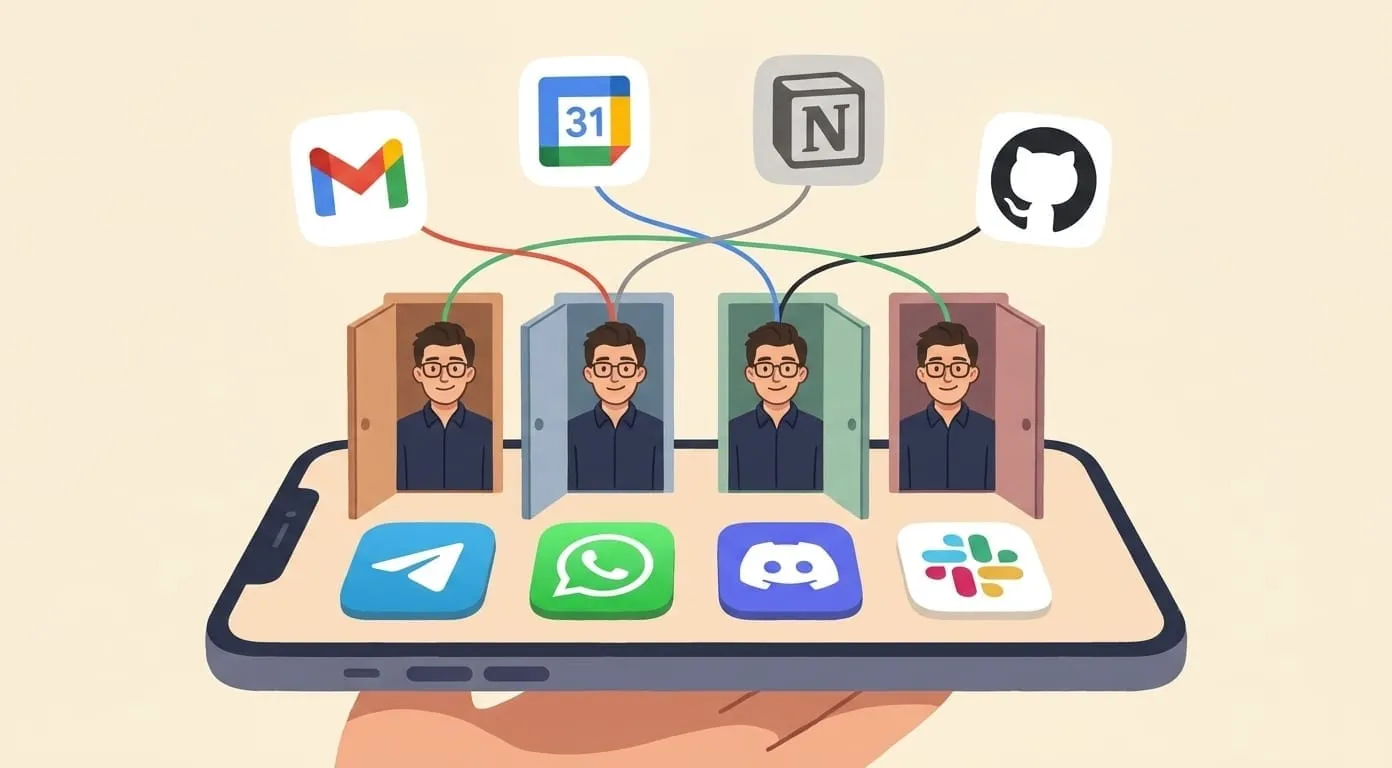
Amplify vs ChatGPT: Personal AI Agent vs Chatbot
ChatGPT is a conversational AI in a browser tab. Amplify is a personal AI agent that lives in your messenger, remembers context across all channels, and takes actions on your behalf.
ChatGPT changed how millions of people interact with AI. But if you've ever wished your AI assistant could live in your messenger, remember what you told it last week on a different device, or proactively send you a morning briefing – you've hit the wall between a chatbot and an agent. Amplify is built for the other side of that wall.
This is an honest comparison. ChatGPT is better at some things. Amplify is better at others. Here's how they actually differ – and which one makes sense for you.
At a Glance
| Feature | ChatGPT | Amplify |
|---|---|---|
| What it is | Conversational AI chatbot | Personal AI agent |
| Where it lives | Browser, mobile app | Telegram, WhatsApp, Discord, Slack + Mobile app coming soon |
| Memory | Within ChatGPT interface only | Cross-channel – Telegram, WhatsApp, and other channels share one context |
| Proactive actions | No – responds only when prompted | Yes – scheduled tasks, morning briefings, cron automations |
| Image generation | GPT-4o native image generation | GPT Image, Flux, Nano Banana, Seedream + real estate photo enhancer |
| Video generation | Not available | Kling (up to 4K), Seedance, Veo |
| Voice generation | Text-to-speech (read aloud) | ElevenLabs (custom voices, cloning, sound effects) |
| Web search | Built-in browsing | Tavily AI-optimized search + Agent Browser |
| Integrations | GPTs and custom actions | Google Workspace, Notion, GitHub, Obsidian + automation via Zapier & Make |
| Transcription | Voice mode (native in app) | Cloud Whisper, local transcription, meeting autopilot |
| Pricing | $20/mo (Plus) | $9.99/mo + pay only for what you use |
| Bring your own key | No | Yes – use your own OpenAI key, pay LLM costs directly |
| Open source | No | Yes – built on OpenClaw framework |
| Data training | Opt-out available | Never trains on your data |
| GDPR | Compliant | Compliant, EU-hosted database |
The Core Difference: Chatbot vs Agent
ChatGPT is a chatbot. You open a browser tab, type a question, get an answer. It's reactive – it does nothing until you ask.
Amplify is an agent. It lives in the messenger you already use every day – Telegram, WhatsApp, Discord, or Slack. It remembers your context across channels and conversations. It takes actions proactively: sending you a morning briefing with your calendar, email summary, news, and weather before you even ask. It generates images, video, and voice. It connects to your Google Calendar, Notion, and GitHub. It runs scheduled tasks on a cron.
The distinction matters because it changes how AI fits into your day. With ChatGPT, you go to the AI. With Amplify, the AI comes to you.
Memory: Same Word, Different Thing
Both ChatGPT and Amplify have "memory." But they work differently.
ChatGPT's memory saves facts you tell it ("I prefer Python over JavaScript") and uses them in future conversations. It works within the ChatGPT interface – browser and mobile app. It's useful, but it's contained in one place.
Amplify's memory is cross-channel. If you tell your assistant something in Telegram, it remembers when you message from WhatsApp or the web. Your context follows you across devices and platforms. It learns your communication style, project priorities, and preferences over time. Every interaction makes it more useful – and that context is shared everywhere you access it.
For people who use multiple platforms throughout their day (phone for quick messages, desktop for deep work), cross-channel memory means you never have to re-explain context.
Media Generation: Where Amplify Pulls Ahead
ChatGPT can generate images natively with GPT-4o. It's good – especially for quick visual ideas and text-heavy graphics.
Amplify offers a full media production stack:
ChatGPT has no video generation, no voice generation with custom voices, and no presentation creation. If your work involves multimedia content – social media, marketing materials, client presentations – Amplify covers ground that ChatGPT doesn't.
Integrations: Ecosystem vs Open Platform
ChatGPT connects to external services through GPTs (formerly plugins) and custom actions. The marketplace has thousands of GPTs, but each one is a self-contained experience – you switch between them rather than having a unified assistant.
Amplify integrates directly with your tools as a unified assistant:
For services without native integrations, Amplify connects to Zapier, Make, and custom webhooks – extending reach to thousands of additional tools through automation platforms.
The difference: ChatGPT's integrations are separate GPTs you invoke. Amplify's integrations are all available to one assistant that knows your full context. "Check my calendar, draft a follow-up email to the client from yesterday's meeting, and create a Notion task for the action items" – one message, one assistant, three integrations.
Automation: Reactive vs Proactive
ChatGPT responds when you ask. It doesn't do anything on its own.
Amplify can act proactively:
This is the biggest practical difference for daily use. A proactive assistant that surfaces information before you need it changes the dynamic from "tool you use" to "assistant that works for you."
Pricing: Flat Fee vs Pay-Per-Use
ChatGPT Plus: $20/month. Includes GPT-4o, image generation, browsing, and GPTs. Usage limits apply (message caps that reset periodically).
Amplify: $9.99/month platform fee + pay for what you actually use:
What this means in practice:
The key difference: with ChatGPT, you pay $20 whether you use it twice or two hundred times. With Amplify, quiet months cost less. The BYOK option lets power users pay LLM costs directly to OpenAI, often at better volume rates.
Privacy and Data Handling
ChatGPT: OpenAI offers an opt-out from data training. With the opt-out enabled, conversations aren't used to improve models. ChatGPT Enterprise and Team plans don't train on data by default.
Amplify: Never trains on your data – no opt-out needed, it's the default and only mode. All provider routing configurations explicitly exclude customer data from training. Integration tokens (Google, Notion) are stored with per-client JWE encryption. Database uses row-level security. Each assistant runs in an isolated sandbox. EU-hosted database (Supabase, eu-west-2). Full GDPR compliance with data portability and right to erasure.
For users in regulated industries or those who handle sensitive client data, Amplify's approach is more straightforward: there's nothing to configure, no settings to find – your data is private by design.
When ChatGPT Is the Better Choice
Be honest: ChatGPT is better in several scenarios.
When Amplify Is the Better Choice
Amplify makes more sense when:
A Real Workflow: What the Difference Looks Like
Morning (7:00 AM) – Amplify sends you a morning briefing in Telegram: today's calendar, unread email summary, weather, and a reminder about the deadline you mentioned yesterday.
Mid-morning (10:00 AM) – You forward a 30-page contract to Amplify in WhatsApp. It summarizes the key points and flags the unusual clauses. It remembers you're working on the Henderson deal because you mentioned it in Telegram last week.
Afternoon (2:00 PM) – "Generate 3 product photos for the listing at 42 Oak Street" – Amplify creates them using the real estate photo enhancer. Cost: ~$0.02–$0.15 depending on model.
Evening (6:00 PM) – "What did I agree to today?" – Amplify recalls all commitments from today's conversations across Telegram and WhatsApp.
Total cost for the day: ~$0.15 in usage + the $9.99/mo platform fee running in the background.
With ChatGPT, each of these would be a separate browser session, no proactive briefing, no cross-platform memory, and no video or voice generation.
Frequently Asked Questions
Not everything. Currently ChatGPT has stronger code generation tools (Code Interpreter, Copilot integration) and a larger ecosystem of GPTs. For pure conversational AI and coding assistance, ChatGPT is more mature. Amplify's strengths are multi-channel access, persistent cross-channel memory, proactive automation, and multimedia generation (video, voice, presentations) – things ChatGPT doesn't offer.
For light to moderate use, yes. A light user spends ~$25/month total on Amplify (including the $9.99 platform fee). ChatGPT Plus is a flat $20/month regardless of usage. The break-even point is roughly moderate usage – but Amplify offers video, voice, and automation capabilities that would require additional subscriptions on top of ChatGPT.
Yes. BYOK (Bring Your Own Key) lets you connect your own OpenAI account. LLM costs are billed directly by OpenAI – often cheaper at volume. Your Amplify deposit covers only non-LLM services (media generation, web search, tools) plus the 7.5% service fee. The $9.99/month platform fee still applies.
Amplify never trains on your data. This is the default – no opt-out to find, no settings to toggle. Integration tokens are encrypted per-client, the database uses row-level security, and each assistant runs in an isolated sandbox. The database is EU-hosted for GDPR compliance.
Amplify requires a $9.99/month platform fee plus a minimum $3 usage deposit to start – so $12.99 to get going. There's no free tier, but the deposit system means you control exactly how much you spend on usage beyond the platform fee.
Amplify dynamically selects from multiple AI providers via OpenRouter, including OpenAI, Anthropic, Google (Gemini), Mistral, and DeepSeek. The system chooses the best model for each task automatically – you don't need to pick a model manually. You can also bring your own OpenAI key for direct access. For media generation, it uses specialized providers: fal.ai for video (Kling, Seedance, Veo), OpenAI for GPT Image, and ElevenLabs for voice.
Amplify is built on OpenClaw, an open-source AI agent framework. Pricing includes 7.5% service fee on all usage costs. All prices current as of May 2026.